tiemdientu.com · The game shop for TikTok LIVE
Drop in, pick a game,the whole LIVE room plays
Viewers comment and the crane drops a tower floor with their name, likes keep it straight, gifts call in a helicopter full of floors. Tiệm Điện Tử stocks 12 minigames and tools for your stream — voice, gift effects, widgets, scripts. Paste one link into OBS or LIVE Studio and you are open for business.
- Beta: every game is free, and stays yours
- Runs in simulation and on a real LIVE
- One game-screen link for every game — no re-pasting when you switch
Sample comments, not real viewers
- 12
- games you can play today
- 0 ₫
- for every game during the beta
- 1 link
- for every game, no re-pasting
- 3 channels
- per account
Inside the shop
Three counters, one account
Streamers drop in for games and tools for their LIVE; game makers open a stall to sell. Everything under one roof.
Game shelf
Interactive minigames for TikTok LIVE: free trial, buy once or rent monthly.
Visit counterLIVE tools
10 drag-and-drop overlays, gift effects, voice and “when… then…” scripts for every LIVE.
Visit counterPartner stalls
Game makers stock the shelf with our SDK; once reviewed, their games sell to LIVE channels.
Visit counter
Try one in the shop
Comment, drop floors, build a sky tower
This is the real Sky Tower, running right in your browser. You play one viewer in a LIVE room, building one tower together with a few sample viewers.
- 1Press “Drop a floor”: the crane drops a floor with your name, like a viewer typing a comment
- 2If the tower leans, press left, right or center to balance it; “double” drops two floors, “brace” adds cables
- 3Keep sending hearts to hold it straight, and try sample gifts to call the helicopter or the wind dragon
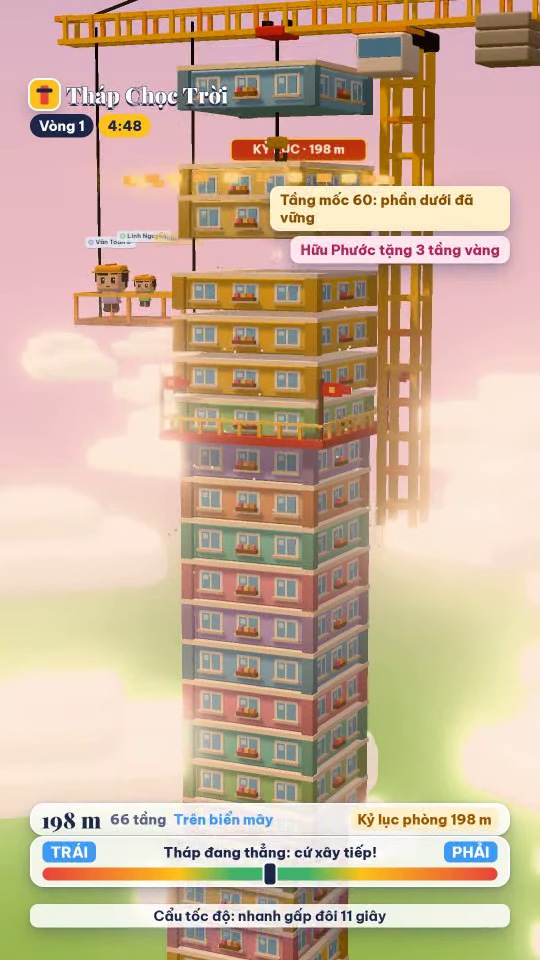
The real 3D game, about 2 MB, sound off
Drop floors and balance
0hearts
Sample gifts
Press “Start the trial” to open the game.
Viewers, comments and gifts here are samples. On a real LIVE, your viewers do all of this from TikTok.
Game shelf
Good games on the shelf, played by your viewers’ rules
Every game and every update is reviewed: no gambling, no gift pressure, smooth on an everyday streaming PC.
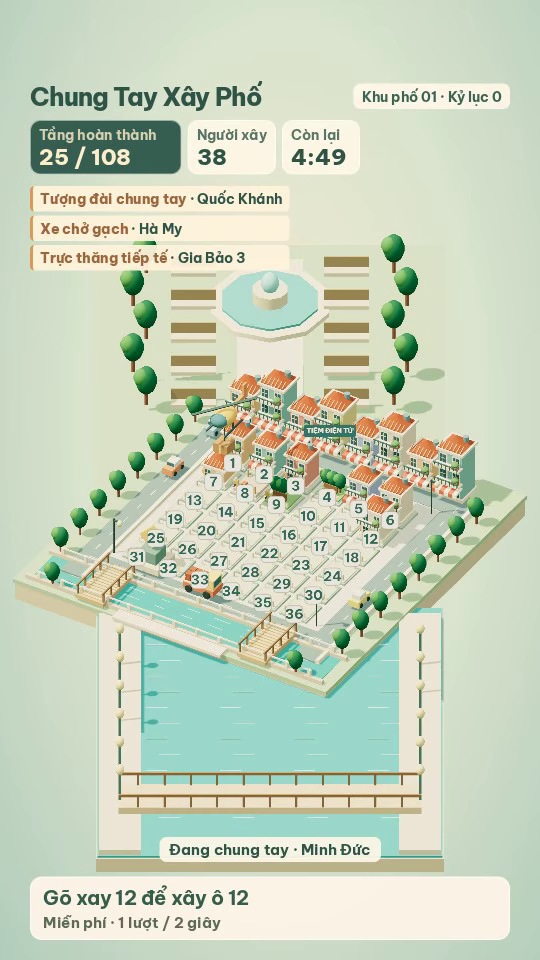 Playable now
Our Little City
Tiệm Điện Tử
One brick each, a lively city together.
Cả phòngXây phố3D
See details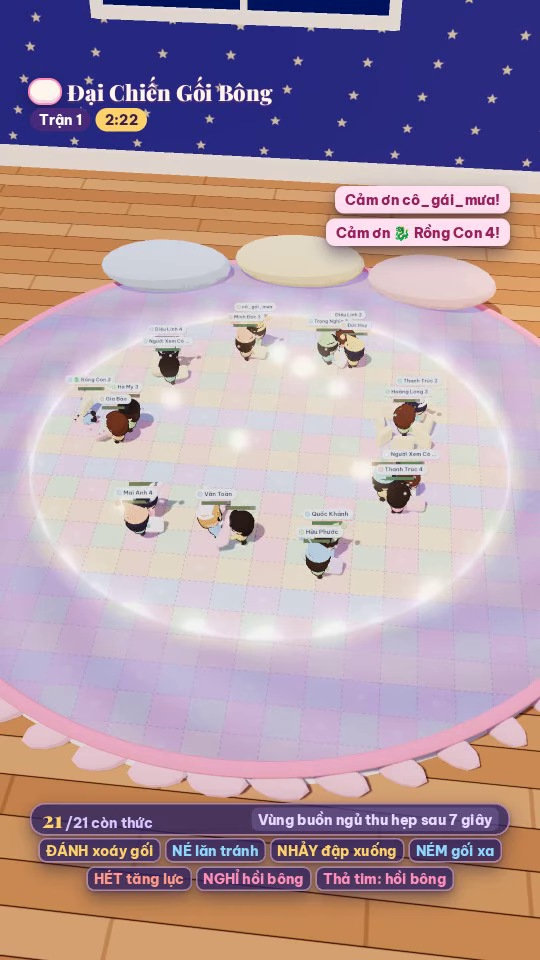 Playable now
Pillow Brawl
Tiệm Điện Tử
The whole room jumps on the bed for a pillow fight: last one awake wins.
Sinh tồnHỗn chiến3D
See details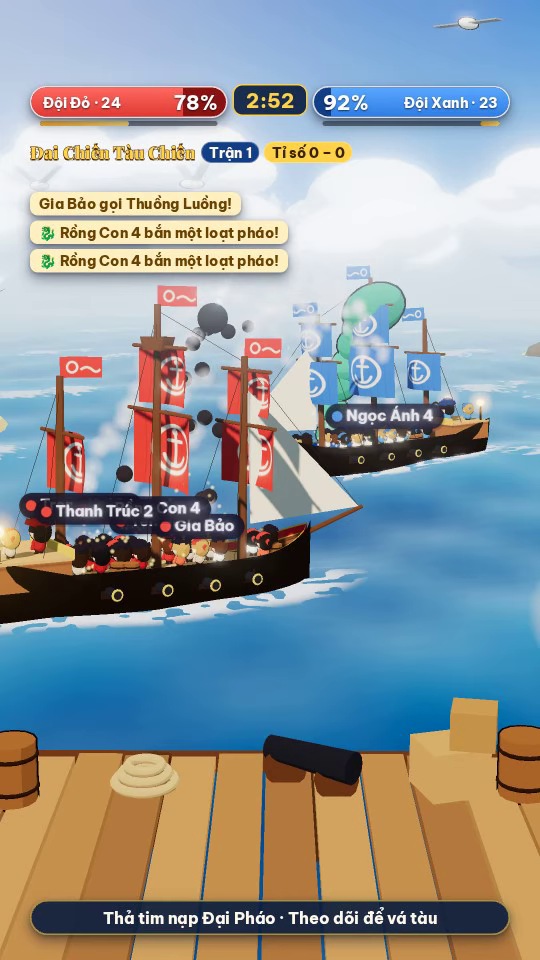 Playable now
Warship Showdown
Tiệm Điện Tử
Red crew versus Blue crew on a 3D sea: climb aboard and fire the cannons.
2 pheHải chiến3D
See details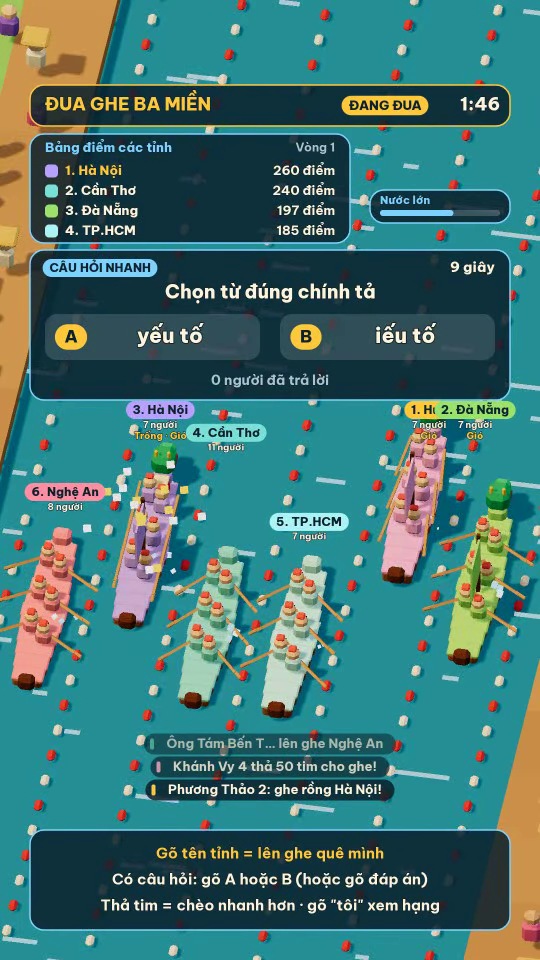 Playable now
Three Regions Boat Race
Tiệm Điện Tử
Type your province to board, answer fast, send likes to win.
Theo tỉnhĐố vui3D
See details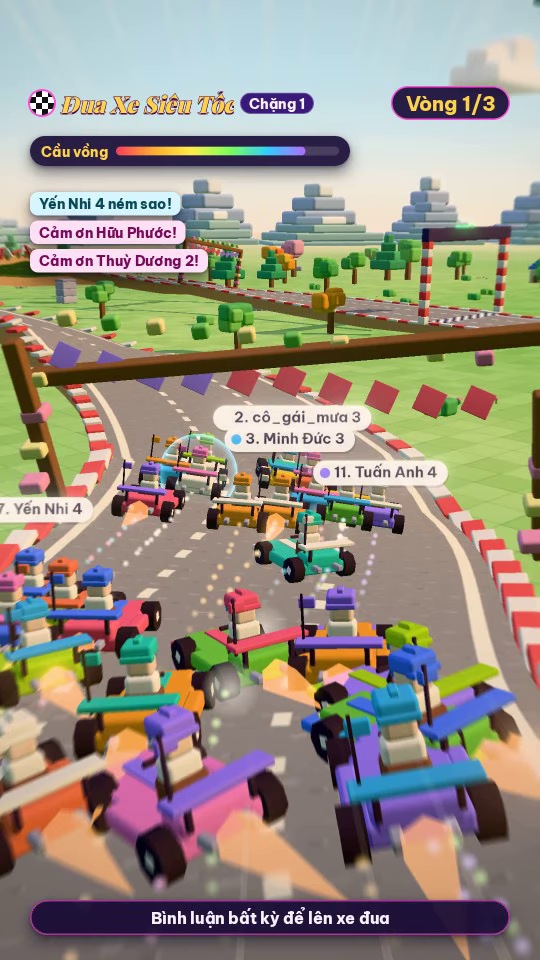 Playable now
Turbo Star Rally
Tiệm Điện Tử
The whole room races karts on a 3D neon track: boost, hop, dodge stars, finish!
Đua xeCả phòng3D
See details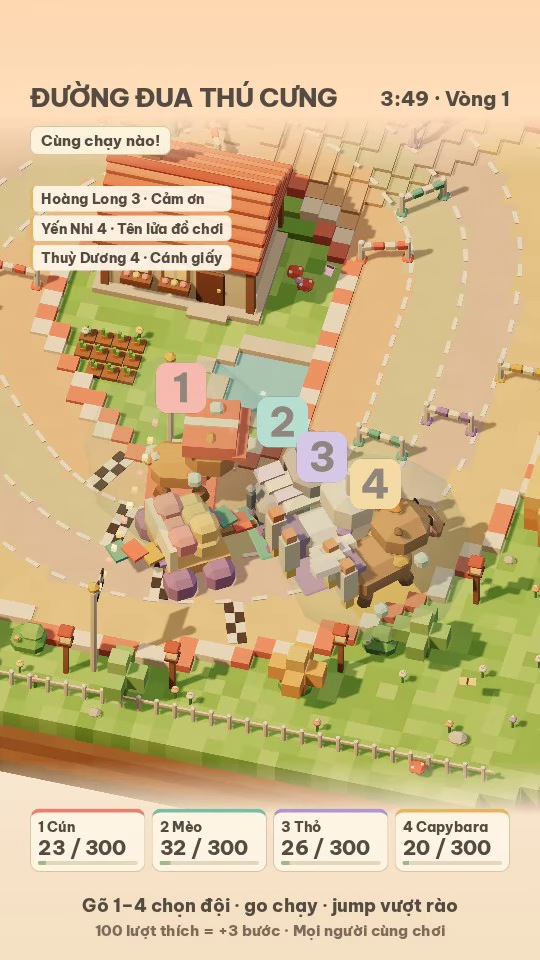 Playable now
Little Paws Grand Prix
Tiệm Điện Tử
Pick your pet and race together!
Cả phòngThú cưng3D
See details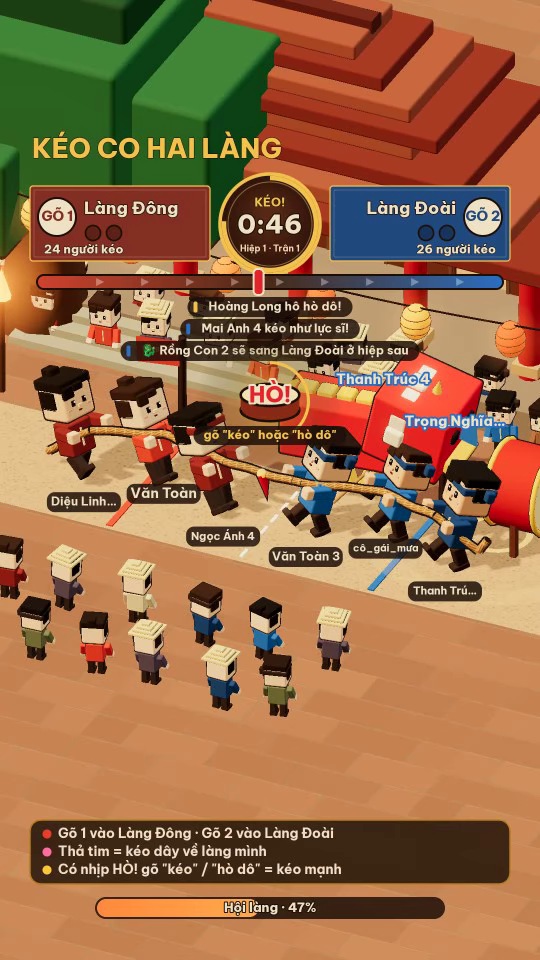 Playable now
Village Tug of War
Tiệm Điện Tử
Type 1 for East Village, 2 for West Village — send likes to pull.
2 pheThả timDân gian
See details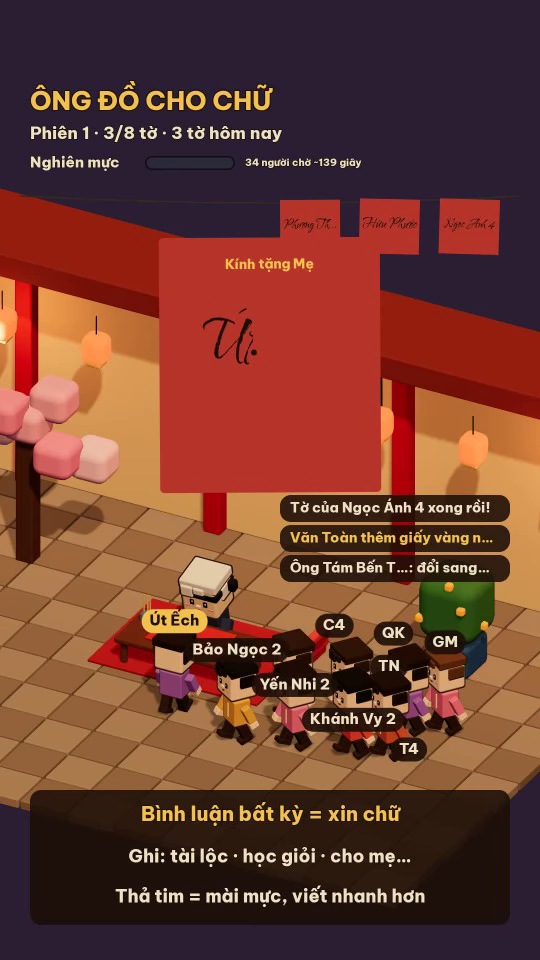 Playable now
The Scholar's Calligraphy
Tiệm Điện Tử
Comment for a ticket — the scholar brushes your name with a wish.
Thư giãnNgày Tết3D
See details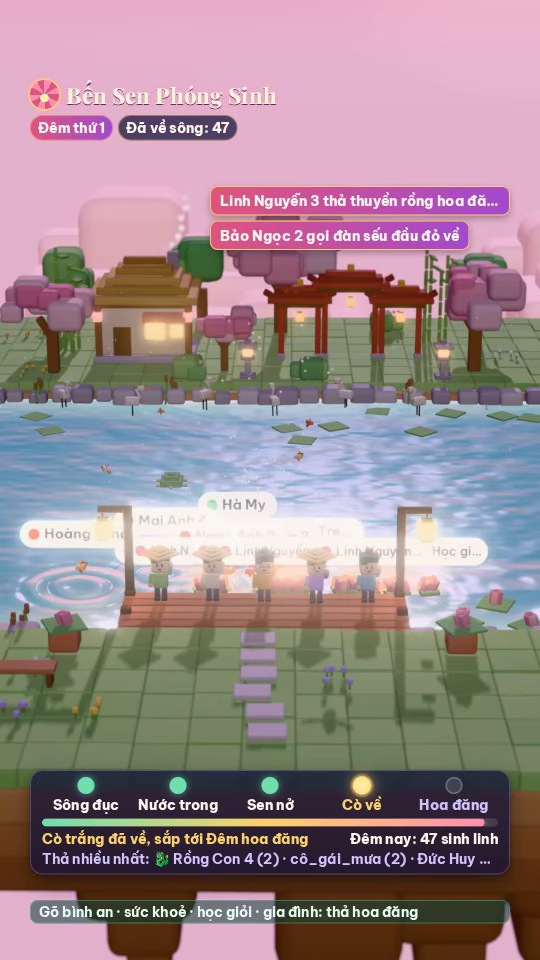 Playable now
Lotus Pier
Tiệm Điện Tử
Release creatures and lanterns together to bring a river back.
Thư giãnCả phòng3D
See details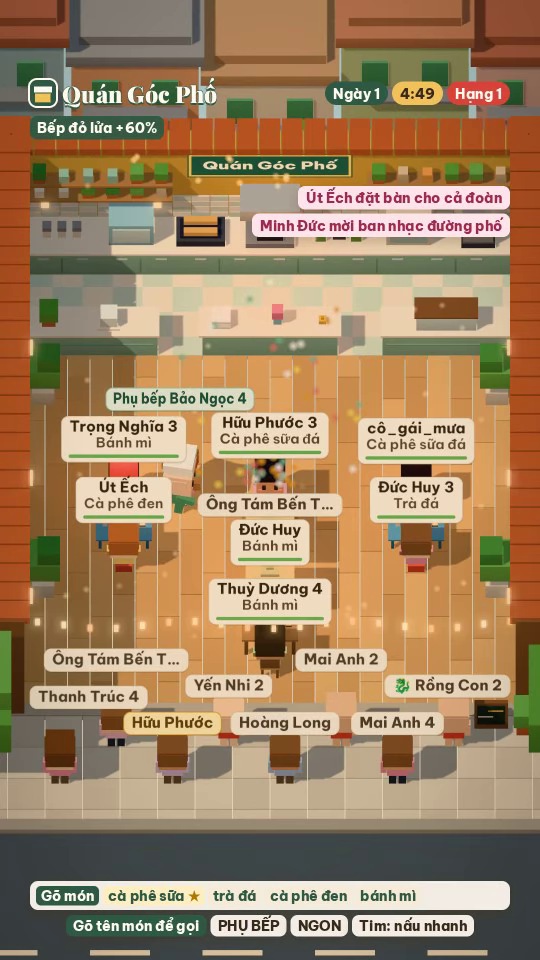 Playable now
Corner Café
Tiệm Điện Tử
Run a little corner café where the chat walks in as guests.
Thư giãnNấu ăn3D
See details
Open for business
On air in three steps
- 1
Add your TikTok channel
Open a free account and add your @username. One account manages up to 3 channels.
- 2
Pick a game, try it first
Watch the demo video, claim it for free, then run it in simulation or on a real LIVE. Games you claim during the beta stay yours.
- 3
Paste the link, go LIVE
Add the game-screen link to OBS or TikTok LIVE Studio once. After that, switch games right in Studio.
Why drop in
The moments that make the whole room light up
Every feature exists to get viewers commenting more and staying longer — and to give your LIVE more moments worth clipping.
One comment and you are in
No app, no sign-in: viewers type a number or a side name in the TikTok comments and they are on the team.
Your name, called on air
A Vietnamese voice (male or female) narrates the match, thanks gifts, reads comments and calls out the best player by name. Everyone wants to hear theirs.
Gifts become comebacks
You choose which TikTok gift summons which helper. Gifts make a match more dramatic but never decide the winner on their own.
Your channel’s hall of fame
Games keep a leaderboard of your viewers across LIVEs — a reason to come back tomorrow night.
Switch games in one tap
One game-screen link for every game. Switch from Studio in the middle of a LIVE and OBS follows.
Going LIVE from a phone works too
No computer? Open the game-screen link on your phone and share your screen, with games marked “phone ready”.
LIVE tools
Effects and overlays that light up the room
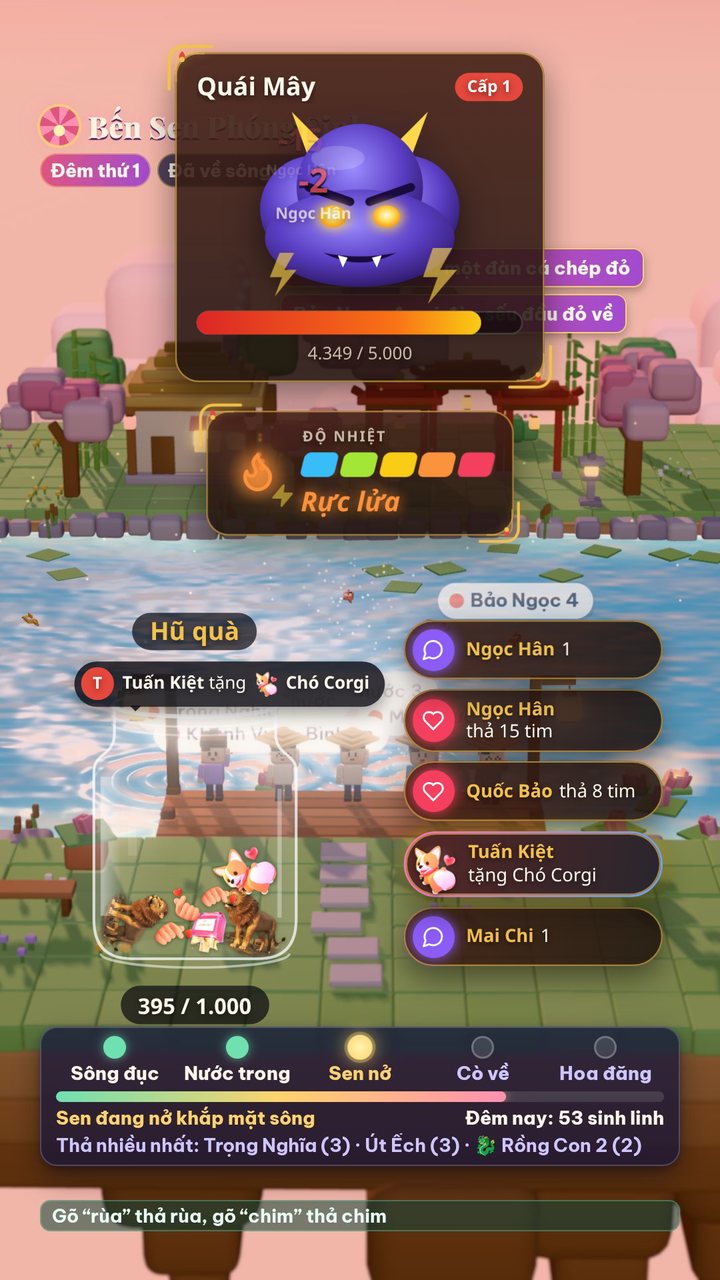
Besides the minigames, the shop stocks overlays and effects driven by your viewers’ comments, likes and gifts — set them up in Studio, paste a link into OBS or LIVE Studio and you are on air.
- 10 overlays
- Event feed, latest supporters, podium, gift jar, community boss, hype meter, poll, countdown, counter, socials — preview them with simulated viewers, each with its own OBS link.
- Drag-and-drop layout
- Drag and resize every overlay on a 9:16 frame, with the areas the TikTok app covers marked; 4 looks: Lacquer, Neon, Frosted glass, Minimal.
- Gift effects
- Gift alerts with combos, fireworks, floating hearts, the real gift picture dropping into the jar; built-in sounds or your own mp3 link.
- “When… then…” scripts
- A comment keyword, every N likes, a gift combo or a goal reached reads a line, fires an effect or shows the top list — all stream long.
- Voice and live controls
- Reads comments aloud, thanks gifts and follows; open a poll, run the countdown, bump the counter right from the Go LIVE page.
Partner stalls
Build a game once, stock it for many LIVE channels
Write HTML5 games with @tiemdientu/game-sdk, WebGL engines such as PixiJS included. The shop handles the TikTok connection, licences, payments, refunds and streamer support — you focus on the game.
- Automated checks the moment you upload a build, with a detailed report
- Test in the simulator and build your own store page with a demo video
- Approved games go on the shelf for every streamer during the beta
import { createGame } from '@tiemdientu/game-sdk';

const sdk = await createGame({ snapshot, restore });
sdk.on('comment', (e) => joinTeam(e.user, e.text));
sdk.on('gift', (e) => callHelper(e.user, e.action));
sdk.loaded();A clean shop
Fun, with principles
No gambling, no gift pressure
No games of chance with money, no countdowns pushing gifts, no coin prices on screen.
No viewer data harvesting
Games run in an isolated frame with no network access; viewers appear to a game only as a pseudonymous per-channel id, never their real TikTok account.
Reviewed by people before it reaches you
Every build and store page is played and approved by a reviewer against a public checklist.
Ask the shop
What is the beta?
During the beta every game in the shop is free; there are no top-ups or payments yet. Games you claim during the beta stay yours when the shop starts selling.
Do I need to install anything?
No. Add the game-screen link to OBS or TikTok LIVE Studio as a browser source (1080 × 1920), or open it on your phone with games that support it.
Can one account serve several channels?
Yes, up to 3 TikTok channels per account. Games belong to the account and run on one channel at a time.
Is Tiệm Điện Tử affiliated with TikTok?
No. Tiệm Điện Tử is an independent service. You still need to follow TikTok’s Community Guidelines when you go LIVE — games in the shop are designed without gift pressure or gambling.
I make games — how do I get them into the shop?
Register in the Partner portal, upload a build made with the SDK and submit it for review. New games are reviewed in about 2 working days.
Tonight, open shop with your whole LIVE room
Open an account and try Sky Tower — or any game on the shelf — for free on your next LIVE.